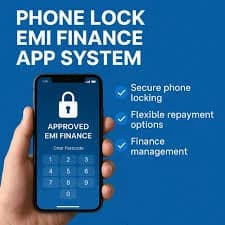
Financing a smartphone through monthly installments is a great way to buy a new device without paying a lot of money upfront. To secure these loans, financial companies install special management profiles that can restrict the device if a payment is missed.
However, a major question pops up once you make your final payment: how do you get rid of this tracking software? According to the latest guidelines, the uninstallation of device locking profiles after full repayment of mobile loan accounts must happen automatically and immediately.
This guide breaks down how the removal process works, what rights you have under consumer protection laws, and what steps to take if the locking app gets stuck on your smartphone.
When should a device locking profile be removed from my financed phone?
The secure locking profile must be removed immediately after you complete your final EMI payment. Under central banking rules, lenders must trigger the automatic uninstallation process within one hour of receiving your closing payment, leaving your smartphone completely clean.
What should I do if the mobile finance lock remains active after full repayment?
If the lock profile stays stuck on your phone past one hour, restart your handset while connected to a strong Wi-Fi network. If the software still does not clear, contact your lender's support cell immediately to request a manual digital exit code.
Can a lender legally keep tracking software on my phone after the loan is cleared?
No, it is completely illegal for a lender to keep tracking software active on your mobile phone after full repayment. Once your account balance hits zero, keeping the device profile active violates strict data privacy and consumer protection laws.
What is a Device Locking Profile?
When you buy a smartphone on credit, the finance company installs a small piece of technical software deep within the phone's system settings. This is known as a device management profile or digital lock.
This profile acts as a digital guarantee for the lender. If a buyer falls behind on payments, the software holds the authority to lock the user interface so the buyer cannot use regular apps until they clear their dues.
While this system helps people with low credit scores get approved for loans, it is meant to be a temporary arrangement. It must never stay on your mobile device forever.
How the Automatic Uninstallation Process Works
You do not need to be a software engineer or a coding expert to remove the finance application from your smartphone. The entire process runs seamlessly via cloud networks.
Step 1: Clearing the Final Balance Sheet
You make your last monthly payment through the lender’s official digital wallet, mobile app, or a UPI transfer link.
Step 2: Automated Verification
The lender’s central system automatically verifies that your remaining loan balance has reached absolute zero. The system then generates a digital No Objection Certificate (NOC).
Step 3: Over-The-Air Uninstallation
The company's cloud server sends a secure "exit command" over the internet directly to your mobile phone. This signal triggers the uninstallation of device locking profiles after full repayment of mobile loan terms, wiping out the restriction app automatically.
What to Do If the Locking Profile Gets Stuck
Sometimes, minor technical bugs or a poor internet connection can block the automatic uninstallation command from reaching your phone.
If your loan is fully paid but you still see the finance app icons or notification blocks on your device, follow these quick troubleshooting steps.
Connect to Stable Wi-Fi: Ensure your smartphone is connected to high-speed internet so it can receive the uninstallation signal from the server.
Reboot Your Handset: Turn your phone completely off, wait for sixty seconds, and turn it back on to force a system sync.
Check Your Loan Closure Email: Verify that you have received an official email or text message stating that your loan account is closed.
If these basic steps fail, do not try to open a local repair shop to hack or force-root the operating system. Simply call your finance provider's help desk and share your loan closure ID to get a manual removal code.
Understanding Wrongful Delays and Compensation Rights
If a finance company takes too long to remove the device management software from your handset, you are protected by consumer rights.
A lender cannot make excuses about server errors or holidays to keep your smartphone restricted after you have paid every single rupee.
Consumer Protection Fact: If a bank or finance company fails to reverse the device restrictions or remove the profile within one hour of full repayment, they must pay you a legal compensation rate of ₹250 for every hour of delay.
This rule keeps financial institutions alert and ensures they build fast, reliable digital platforms to serve their customers honestly.
Conclusion: Enjoy Complete Ownership of Your Smartphone
The permanent uninstallation of device locking profiles after full repayment of mobile loan contracts is your legal right as a consumer. It marks the successful transition from a borrowed item to your absolute personal property.
By staying updated on these rules, paying your final installments on time, and checking your device settings for complete software removal, you can enjoy your smartphone with absolute peace of mind and zero privacy worries.
Frequently Asked Questions
Can I manually delete the device locking profile from my phone settings?
No. For security reasons, the manual delete option is completely blocked inside the phone settings while the loan is active. It can only be triggered and removed remotely by the finance company's server once your dues hit zero.
Do I need to visit the retail shop to complete the uninstallation process?
In almost all modern cases, you do not need to visit the shop. The software uninstalls itself automatically over the air. You only need to visit the retailer if a rare technical glitch requires a manual master password input.
How can I verify that the finance profile is completely gone from my phone?
Go to your phone’s primary Settings menu, look for "Security," "Device Administrators," or "VPN and Device Management." If the section is completely empty or does not show your lender’s app name, the profile has been successfully uninstalled.
Will the uninstallation process delete my personal photos, contacts, or apps?
No, the uninstallation process is entirely safe. It only targets and removes the specific security lock permissions injected by the finance company. Your personal photos, local text messages, contact logs, and private data remain completely safe and untouched.
What is a loan No Objection Certificate (NOC) and why is it important?
An NOC is an official digital document issued by the lender proving that you have paid back the loan completely. You should always download and save this certificate from the app as legal proof that the locking profile must be removed.
Can the lender reinstall the locking profile after it has been removed once?
Absolutely not. Once a loan is fully closed and the profile is uninstalled, the lender loses all legal and technical rights to access or manage your smartphone. Reinstalling it without a new loan agreement is a severe criminal offense.