Taking out a personal loan is a common way to manage unexpected financial situations, handle family wedding expenses, or consolidate high-interest credit card debts. Before you sign any official banking contract, you must know exactly how much money will exit your pocket every month.
Many people rely blindly on arbitrary estimates provided by loan agents, which can lead to major budget shocks later. Fortunately, tracking your debt is incredibly easy if you understand the underlying mathematics of compounding balances. Utilizing a compound interest personal loan emi calculator online excel tool allows you to take complete control of your repayment timeline.
In this clear guide, we will break down how banks compute your monthly installments, show you the exact formulas to build your own spreadsheet tracker, and help you analyze your total interest outgo.
Direct Answer Snippets for Quick Understanding
How does a compound interest personal loan EMI calculator work in Excel?
A compound interest personal loan emi calculator online excel spreadsheet functions by applying the standard global loan amortization formula. It divides your annual interest rate by twelve to establish a monthly compounding rate, factors in your total tenure months, and processes your regular fixed installment using the built-in PMT function.
What is the primary Excel formula to calculate a personal loan EMI?
The primary formula used to compute your monthly installment inside an Excel sheet is the PMT function. By typing =PMT(Rate/12, Nper, -Pv) into a blank cell, the software instantly processes your reducing balance interest scale, your total payment months, and your core principal amount to reveal your exact EMI value.
Why do banks use reducing balance instead of flat interest?
Mainstream financial institutions use the reducing balance method because it is fair and transparent. Every time you make your monthly payment, a portion clears the active interest while the rest lowers your core principal. The following month's interest is computed strictly on that remaining lower balance, avoiding heavy flat-rate compounding.
Understanding Personal Loan Compound Interest Mechanics
Before looking at spreadsheet cells, let us clarify how personal loan interest accumulates in the real world. Unlike a credit card where unpaid interest piles up exponentially, a retail personal loan utilizes a structured monthly compounding approach.
Lenders do not apply a flat fee on your total loan size for the entire duration. They check your outstanding principal balance every thirty days, calculate the monthly interest share, and subtract it from your regular EMI payment.
The remaining portion of your monthly payment goes directly toward lowering your actual core principal. This continuous cycle repeats every month, ensuring your total debt drops systematically until your loan account reaches a perfect zero balance.
Building Your Own EMI Calculator in Microsoft Excel
You do not need to be a software programmer or a mathematics expert to build a highly accurate compound interest personal loan emi calculator online excel tracker.
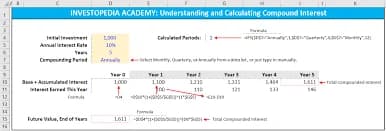
To set up a functional personal loan model, open a fresh spreadsheet window and type these key parameters into column A:
Cell A1: Loan Principal Amount (The initial cash you want to borrow)
Cell A2: Annual Interest Rate Percentage (The baseline percentage charged by the lender)
Cell A3: Loan Tenure in Months (The total months you have to pay back the debt)
Once your input data is typed safely into column B, move your cursor to cell B4 to calculate your monthly installment. Type this exact command into the formula bar:
=PMT(B2/12, B3, -B1)
Press the enter key on your keyboard. Excel will instantly read the annual rate, convert it into a monthly format, assess your entire tenure, and display your exact monthly payment value down to the final paisa.
Decoding the Mathematical Amortization Formula
If you are a student or an engineering enthusiast who wants to understand the manual algebra working behind the Excel software, the calculation relies on this mathematical expression:
$$\text{EMI} = \left[ P \times R \times \frac{(1+R)^N}{(1+R)^N - 1} \right]$$
To utilize this formula manually, you must define the mathematical variables carefully:
P represents your primary principal loan amount.
R represents your monthly interest rate, which you calculate by dividing your annual interest rate by twelve and then dividing by one hundred.
N represents the total number of monthly installments you must pay.
By matching your variables to this expression, you will arrive at the exact same monthly output figure generated by the automated Excel spreadsheet, proving how systematic compounding works.
How to Create a Full Loan Amortization Table
An amortization table is a detailed ledger that displays the life history of your loan month by month. Building one inside your spreadsheet helps you see exactly where your hard-earned money goes.
Create a horizontal header row inside your sheet containing five main columns: Month Number, Opening Principal, Interest Component, Principal Component, and Closing Balance.
For Month 1, your Opening Principal matches your initial borrowed amount. To find your Interest Component for that month, multiply the opening balance by your monthly interest rate:
$$\text{Monthly Interest} = \text{Opening Principal} \times \left( \frac{\text{Annual Rate}}{12} \right)$$
Subtract this interest figure from your calculated fixed EMI to find your core Principal Component. Finally, subtract the principal component from your opening balance to lock in your Closing Balance, which becomes the opening baseline for Month 2.
Smart Strategies to Lower Your Total Personal Loan Cost
Tracking your debt journey inside a spreadsheet allows you to test various repayment scenarios to minimize your lifetime interest outgo.
Opt for Shorter Repayment Tenures
When you look at a compound interest personal loan emi calculator online excel matrix, extending your tenure from two years to five years makes your monthly EMI drop significantly. However, a longer tenure keeps the loan active for more months, allowing interest to accumulate continuously and making the loan far more expensive overall.
Plan Regular Principal Prepayments
Many progressive lenders allow you to make partial principal prepayments whenever you receive an annual workplace bonus or an extra cash profit. Inputting a lump-sum payment into your amortization table shows how your remaining tenure shrinks instantly, saving you thousands of rupees in interest.
Conclusion
Mastering a compound interest personal loan emi calculator online excel framework is the ultimate step toward complete financial literacy and smart debt management. By moving past rough estimates and using precise spreadsheet functions like PMT, you can evaluate multiple bank loan offers transparently and spot hidden costs easily. Keep your personal credit profile spotless to secure the lowest base interest margins, choose the shortest repayment tenure your household budget can comfortably support, and use your custom tracking sheet to navigate your path back to debt-free ownership quickly.
Genuine Frequently Asked Questions (FAQs)
1. Why does my Excel calculator show the final EMI as a negative number?
Excel uses a strict accounting logic called cash-flow direction rules. The PMT function views a loan payment as an outflow of cash leaving your personal wallet, which is why it displays the result in red font or with a negative minus sign. To flip it into a standard positive number, simply place a minus sign directly before the Pv variable inside your formula.
2. Can I use this Excel formula to calculate credit card EMI conversions?
Yes, you can easily use the exact same PMT framework to track a credit card EMI plan. However, you must verify if your credit card provider applies processing fees or uses a flat interest rate structure instead of a reducing balance method, as flat rates require a different calculation layout.
3. What happens if my personal loan has a variable or floating interest rate scale?
If you select a floating-rate personal loan, your interest rate changes whenever the central bank updates its repo benchmarks. In your Excel calculator, you will need to manually update the annual interest rate cell to reflect the new bank rates, which will automatically adjust your remaining monthly EMIs.
4. Do banks charge extra processing fees when calculating a personal loan EMI?
Yes, commercial banks regularly apply an upfront administrative processing fee, which usually ranges from one percent to three percent of your total disbursed loan size. This fee is a one-time deduction from your initial cash payout; it is not mixed into your monthly compound interest calculation grid.
5. Can a student with zero salary use this Excel loan calculator accurately?
Yes, anyone can use this tool to learn financial math or plan a family budget. Even if you do not hold an active corporate salary, entering hypothetical principal numbers and matching bank interest rates into the cells shows you exactly how loan compounding works in real-time.
6. Are there any hidden foreclosure penalties if I close my personal loan early?
Private commercial banks often protect their interest margins by charging an early foreclosure or prepayment penalty fee ranging from two percent to four percent if you clear your balance early. Always read your primary loan agreement carefully and include these penalty rates in your spreadsheet to see if early closure makes financial sense.